UI/UX Design Services UK

Beautiful, User-Centered Design Solutions

Custom UI/UX design services in the UK for software, websites and mobile apps, including UX research, wireframes, prototypes, UI design and design systems. UI/UX Design Services UK

0+

Design Projects

95%

User Satisfaction

40%

Avg. Conversion Lift

2 weeks

Prototype Delivery

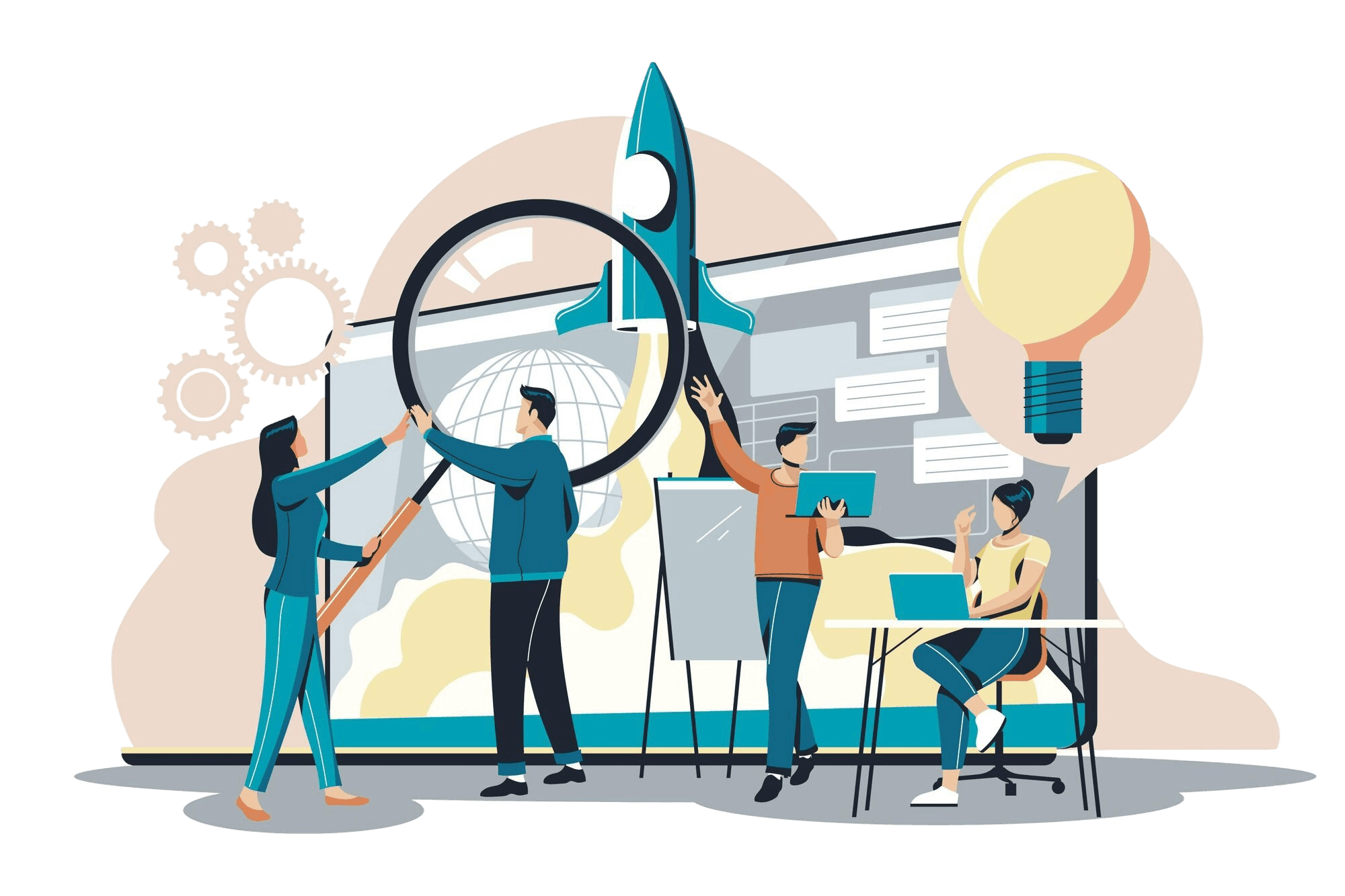
Team collaborating on Design UI/UX

What this means for your project

Looking for UI/UX design services to make your software, website or mobile app easier to understand and use? Effective UI/UX design combines user research, clear user journeys, interaction design and visual interfaces to create digital products around real user needs.

Clickmasters provides UI and UX design services for UK businesses, covering UX research, user flows, wireframes, prototypes, interface design, design systems, usability testing and developer-ready design handoff.

If your project also requires engineering and implementation, explore our software development services for custom software, SaaS products, APIs, frontend and backend development.

Jump to

Services

UI Design Services

UI design defines the visual and interactive presentation of a digital product. This can include: The goal is not simply visual consistency. The interface should help users understand: What is this? What can I do here? What happens next? Did my action work? It can be influenced by: Good hierarchy reduces the amount of interpretation required from the user. This includes: A complete interface should account for more than the ideal or "happy path." Users also need clear feedback when something is loading, unavailable, incomplete or unsuccessful.

  • Layouts
  • Typography
  • Interface hierarchy
  • Buttons
  • Inputs
  • Forms
  • Navigation
  • Cards
  • Tables
  • Dashboards
  • Notifications
  • Error messages
  • Icons
  • Responsive states
  • Interactive components
  • Size
  • Position
  • Spacing
  • Typography
  • Contrast
  • Grouping
  • Component treatment
  • Hover states
  • Active states
  • Loading states
  • Confirmation states
  • Empty states
  • Error states
  • Form validation
  • Transitions
  • Feedback

UI/UX Design vs UI Development

These are related but different disciplines. A design project should produce enough clarity for developers to understand: This design-to-development relationship is a key content gap in the current SERP and helps distinguish a complete UI/UX process from visual design alone.

  • Layouts
  • Components
  • Interactions
  • States
  • Responsive behaviour
  • User flows
UI/UX DesignFrontend Development
Understands user needsImplements interface
Defines user journeysBuilds interactions
Creates wireframesWrites frontend code
Creates prototypesConnects application logic
Designs visual interfaceImplements components
Defines design systemBuilds reusable code
Validates usabilityTests implementation

When Do You Need UI/UX Design Services?

UI/UX support can be valuable when: We can first identify: This can support a more focused redesign rather than changing everything simply to make the product appear different.

  • You are planning a new software product
  • Users struggle with an existing platform
  • The interface has become inconsistent
  • A product contains too many confusing workflows
  • You are developing an MVP
  • A website is being redesigned
  • A mobile application is being developed
  • An existing system needs modernisation
  • Customer onboarding is difficult
  • Teams need a scalable design system
  • Development begins without clear interface specifications
  • What already works
  • Which journeys cause problems
  • Which components are inconsistent
  • Which screens need restructuring
  • Which features users struggle to discover

How It Works

Our UI/UX Design Process

The SERP consistently frames a complete UI/UX engagement as discovery → research → architecture → wireframes → UI design → prototype → testing → development handoff, rather than a single visual-design stage.

  • Business goals
  • Product requirements
  • Target users
  • Current problems
  • Technical constraints
  • Existing products
  • Project scope

Investment

How Much Does UI/UX Design Cost?

UI/UX design cost depends on the scope and complexity of the project. Factors can include: A small website UX project and a complex enterprise software platform require very different levels of research and design work. Discovery is normally required before an accurate quotation can be prepared. Pricing and budget are important decision-stage concerns within the current SERP, alongside portfolio, case studies and provider expertise.

  • Product type
  • Number of user roles
  • Number of workflows
  • Research requirements
  • Existing product
  • Number of screens
  • Prototype complexity
  • Usability testing
  • Design-system requirements
  • Responsive layouts
  • Project duration
  • Developer handoff

How Long Does UI/UX Design Take?

The timeline depends on: A focused UX improvement project may require less time than designing a new multi-role software platform from the ground up.

  • Scope
  • Product complexity
  • Research
  • Number of user types
  • Number of screens
  • Stakeholder availability
  • Prototype requirements
  • Testing
  • Feedback rounds

  • Design-system requirements

Details

UI/UX Design Company for Digital Products

Good UI/UX design is not simply about making a screen look attractive. It considers: Who is using the product? ↓ What are they trying to accomplish? ↓ What information and actions do they need? ↓ How should the journey work? ↓ How should the interface communicate it? ↓ How can the experience be validated before development? This research-to-validation relationship is strongly reflected in the current UI/UX SERP, where Google associates UI/UX companies with UX research, user journeys, wireframing, prototyping, usability testing, design systems and digital product development. Our approach connects research → UX architecture → UI design → prototype → validation → development handoff, helping reduce guesswork before engineering begins.

Wireframing & Prototyping

They can define: Starting with wireframes can make structural changes easier before significant time is spent on high-fidelity interface design. A prototype can help validate: This can help teams identify UX issues earlier in the project. The current SERP strongly connects prototyping with validation rather than treating prototypes as purely visual deliverables. Both can be useful at different stages of a project.

  • Information hierarchy
  • Navigation
  • Content placement
  • Forms
  • Actions
  • Components
  • Screen relationships
  • User flows
  • Navigation
  • Screen transitions
  • Forms
  • User flows
  • Interactions
  • Task completion
  • Content hierarchy
  • Feature understanding

Design Systems

A design system creates reusable rules and components for maintaining interface consistency. It can contain: Instead of redesigning common interface elements for every new screen, teams can reuse established components. The SERP treats design systems as an important part of scalable UI/UX work because they standardise interface components and support more consistent implementation. A design system should still evolve as the product changes.

  • Typography rules
  • Spacing
  • Form fields
  • Buttons
  • Navigation
  • Cards
  • Modals
  • Tables
  • Alerts
  • Icons
  • Component states
  • Interaction patterns
  • Usage guidance
  • Improve consistency
  • Reduce repeated design work
  • Support development teams
  • Make new screens easier to design
  • Reduce interface variation
  • Improve design-to-development communication
  • Support larger digital products

Usability Testing

Usability testing evaluates how effectively users can complete important tasks. A test might explore: Findings can then inform another design iteration. The process becomes: Design → Test → Identify Issues → Improve → Validate rather than: Design → Assume → Develop A UX audit can review areas such as: The purpose is to identify specific experience problems and prioritise improvements.

  • Can users find the feature?
  • Do they understand the terminology?
  • Can they complete the task?
  • Where do they hesitate?
  • Which steps cause confusion?
  • Which errors occur repeatedly?
  • Does the product provide enough feedback?
  • Navigation
  • User journeys
  • Forms
  • Calls to action
  • Information architecture
  • Content hierarchy
  • Mobile usability
  • Accessibility considerations
  • Interaction consistency
  • Interface patterns
  • Error states

Product Design

UI/UX is often one part of a wider digital product design process. Product design can connect: User Needs * Business Requirements * Product Functionality * UX Architecture * UI Design * Validation The result is a more complete product definition before engineering begins. For complex software products, this can reduce the risk of development teams building screens without sufficient clarity around users or workflows.

UI/UX Design for Software Products

Software interfaces often need to support more complex workflows than standard marketing websites. Examples can include: The design challenge is often to make complex functionality feel understandable rather than simply reducing the number of features.

  • Dashboards
  • Admin panels
  • Reporting
  • Data entry
  • Workflow management
  • User permissions
  • Settings
  • Search
  • Filters
  • Tables
  • Forms
  • Data visualisation
  • Notifications

SaaS UI/UX Design

SaaS products may need to support the complete customer lifecycle: Landing / Sign-up → Onboarding → First Value → Regular Usage → Upgrade → Account Management UI/UX considerations can include: For SaaS products, strong UX often depends on helping users understand the product quickly and complete core tasks without unnecessary support.

  • Registration
  • Onboarding
  • Dashboards
  • Feature discovery
  • Empty states
  • Permissions
  • Billing
  • Notifications
  • Settings
  • Help
  • Account management

Web UI/UX Design

Website UX combines information architecture, content hierarchy and interaction design. We can design experiences for: The design process can cover: Website UI/UX design should remain separate from the engineering work required to build the final website.

  • Corporate websites
  • B2B websites
  • SaaS websites
  • Ecommerce websites
  • Customer portals
  • Content platforms
  • Service websites
  • Navigation
  • Landing pages
  • Content structure
  • Conversion journeys
  • Forms
  • Mobile behaviour
  • Calls to action
  • Responsive layouts

Mobile App UI/UX Design

Mobile interfaces require careful consideration of limited screen space and touch interaction. Mobile app design can include: Design should also account for differences between mobile and desktop behaviour instead of simply shrinking a desktop interface.

  • App navigation
  • Onboarding
  • Registration
  • User flows
  • Forms
  • Dashboards
  • Search
  • Profiles
  • Settings
  • Notifications
  • Empty states
  • Error states
  • Touch interactions

Ecommerce UI/UX Design

Ecommerce UX focuses on helping users find, evaluate and purchase products. Important journeys can include: Homepage → Category → Search / Filter → Product → Basket → Checkout The interface should help customers make decisions without introducing unnecessary friction. UX considerations can include:

  • Navigation
  • Search
  • Filters
  • Product information
  • Variants
  • Product imagery
  • Basket
  • Checkout
  • Forms
  • Mobile shopping
  • Error handling

Enterprise Software UI/UX

Enterprise platforms can involve large feature sets, multiple user roles and complex business processes. Design considerations may include: The objective is often to simplify complex operations without removing functionality employees actually need. The supplied SERP explicitly associates UI/UX providers with websites, mobile apps, SaaS, ecommerce platforms and enterprise software, showing that product-type coverage is important for topical completeness.

  • Role-based interfaces
  • Large data tables
  • Filters
  • Bulk actions
  • Dashboards
  • Multi-step workflows
  • Permissions
  • Reporting
  • Configuration
  • Error prevention

Responsive UI/UX Design

Users may access the same digital product across: Responsive design should therefore consider how: Responsive design is not simply resizing an interface. Layouts and interactions may need to change according to the available screen space.

  • Desktop computers
  • Laptops
  • Tablets
  • Mobile phones
  • Navigation changes
  • Content reflows
  • Forms behave
  • Tables adapt
  • Buttons remain usable
  • Important actions remain visible

Accessibility in UI/UX Design

Accessibility should be considered during design rather than left entirely to development. Design considerations can include: Development and testing ultimately determine whether the final product meets applicable accessibility requirements, but many accessibility decisions begin during UX and UI design.

  • Text readability
  • Colour contrast
  • Keyboard journeys
  • Focus behaviour
  • Form labels
  • Error messages
  • Interactive states
  • Touch target size
  • Content hierarchy
  • Consistent navigation

Developer Handoff

A structured handoff helps engineering teams translate approved designs into the final product. Depending on the project, handoff can include: Designers and developers may also collaborate during implementation to clarify interactions or update designs where technical constraints emerge.

  • Approved screens
  • User flows
  • Interaction behaviour
  • Component specifications
  • Responsive layouts
  • Design-system guidance
  • States
  • Assets
  • Notes
  • Acceptance details

What Do You Receive from a UI/UX Project?

Deliverables depend on the scope, but may include: The current SERP identifies concrete deliverables such as personas, journey maps, user flows, wireframes, prototypes, design systems and developer specifications as an opportunity for stronger service-page content.

  • Research findings
  • User personas
  • Journey maps
  • Information architecture
  • User flows
  • Wireframes
  • High-fidelity interface designs
  • Interactive prototypes
  • Design-system components
  • Usability findings
  • Developer handoff specifications

Benefits of UI/UX Design

Effective UI/UX design can help businesses work towards: These should be treated as design objectives rather than guaranteed commercial results. The ranking landscape consistently connects UX with usability, engagement and conversion, rather than aesthetics alone.

  • Enquiries
  • Registrations
  • Purchases
  • Subscriptions
  • Bookings

UI/UX Design for MVPs

For an MVP, design should focus on validating the core experience rather than designing every possible future feature. A typical MVP design approach might be: Core User Problem ↓ Essential User Journey ↓ Required Features ↓ Wireframes ↓ Prototype ↓ Validation ↓ Development This can help prevent early-stage products from becoming overloaded with low-priority functionality.

UI/UX Agency vs Freelance Designer

The appropriate model depends on project complexity. The choice should depend on the work required rather than assuming one model is universally better.

Freelance DesignerUI/UX Company
Useful for focused assignmentsSuitable for broader projects
Usually one specialistCan involve multiple disciplines
Simpler project structureCan cover research through handoff
May suit individual screensBetter suited to complex user journeys
Availability depends on one personGreater resource flexibility possible

How to Choose a UI/UX Design Company

When evaluating a UI/UX provider, consider: Portfolio, case studies, industry experience and end-to-end capabilities are among the strongest provider-selection signals surfaced in the current SERP.

  • Does the team conduct UX research?
  • Can they explain their design process?
  • Do they understand your product type?
  • Can they design complex workflows?
  • Do they produce interactive prototypes?
  • Do they conduct usability testing?
  • Do they create scalable design systems?
  • Do they understand developer handoff?
  • Are relevant case studies available?
  • Can they explain how design decisions were validated?
  • Do they understand both user and business requirements?

Design Better Digital Products with Clickmasters

Planning a new website, software platform or mobile app, or trying to improve an existing digital product? Clickmasters can help research the users, structure the experience, design the interface, create prototypes, validate important journeys and prepare the final design for development.

Challenges in United Kingdom

Realities of Software Development in United Kingdom

Most agencies deliver technical debt wrapped in a pretty proposal. We build revenue-generating systems engineered for long-term scale and security.

The Costly Cycle

Stop burning budget on technical debt. We replace legacy maintenance with high-velocity feature delivery.

See Our Solution

The Fix

ROI-First Architecture

Modern, maintainable Node.js & React stack built to lower TCO and maximize long-term ROI.

70% lower maintenance
Contact Our Team

The Black Box

Eliminate "infinite timelines." Our agile sprints provide 100% transparency with weekly production-ready demos.

See Our Solution

The Fix

Radical Transparency

Full Jira/GitHub access and weekly syncs. You own the process as much as the code.

98% on-time delivery
Contact Our Team

Security Risks

Vulnerable code is a liability. We embed enterprise-grade security (OWASP) into your core architecture from day one.

See Our Solution

The Fix

Compliance-Ready

GDPR, HIPAA, and ISO standards ready. We handle the complexity of regulated industries.

Zero data breaches
Contact Our Team

Growth Ceilings

Don't let your app crash during success. Our cloud-native systems are built to scale with your 10x growth.

See Our Solution

The Fix

Auto-Scaling Infrastructure

Multi-region AWS/Azure setups that handle millions of requests without breaking a sweat.

99.99% Uptime SLA
Contact Our Team

Engineering excellence for visionary brands. Built with security, performance, and ROI in mind.

Our process

How we build your Design UI/UX project

Scroll through each phase — the line tracks your progress from discovery to launch.

Step 01 of 10

Discovery

Discovery

We begin by understanding:

User & Product Research

Where required, we examine users, competitors, existing behaviour and available product data.

UX Strategy

We define the experience priorities and identify the key journeys the product needs to support.

Information Architecture

Content, functionality and navigation are structured into a logical product hierarchy.

User Flows

Important tasks are mapped step by step.

Wireframing

Screens are structured without becoming distracted by detailed visual styling.

UI Design

The approved UX structure is developed into a complete visual interface.

Prototyping

Important journeys can be turned into interactive prototypes for review and validation.

Usability Validation

Where appropriate, designs are evaluated to identify usability problems before development.

Design System & Handoff

Reusable components, states and design specifications are prepared for implementation.

Why Choose Us

Why Choose Clickmasters

Discover why leading enterprises trust our ui/ux design expertise.

300+

Design Projects

95%

User Satisfaction

2x

Faster Approvals

Research-Led Design

Decisions backed by user interviews, analytics, and testing.

  • User Interviews
  • Heatmaps
  • Surveys
  • Competitive Audit

95%

User Satisfaction

Design Systems

Reusable components that keep your product consistent at scale.

  • Figma Libraries
  • Tokens
  • Documentation
  • Dev Handoff

300+

Screens Designed

Rapid Prototyping

Clickable prototypes before a single line of code is written.

  • Wireframes
  • Hi-Fi Mockups
  • Prototypes
  • Design QA

2x

Faster Sign-Off

Brand-Aligned UI

Interfaces that reflect your brand and convert visitors.

  • Visual Identity
  • Accessibility
  • Micro-Interactions
  • Dark Mode

40%

Higher Engagement

Technology Stack

Modern tools powering scalable applications

Proven frameworks and cloud platforms our engineers use to build secure, high-performance products.

Frontend Development

React.js
React.js
Next.js
Next.js
Vue.js
Vue.js
Angular
Angular
TypeScript
TypeScript
Tailwind CSS
Tailwind CSS
Sector Specialization

Driving Growth Across Every Industry

Our domain experts translate complex industry requirements into high-performance digital products.

01

Manufacturing

We build MES and ERP systems that digitize the factory floor. Our software integrates legacy hardware with modern cloud intelligence.

Real-time MonitoringPredictive MaintenanceSupply Chain ERP
40%Efficiency Increase
02

Retail & eCommerce

Omnichannel solutions that unify online and offline sales. High-performance eCommerce engines built for peak traffic stability.

Inventory SyncCustom CheckoutCustomer Insights
3.5xSales Growth
03

Professional Services

Scalable platforms for consulting and legal firms. Automate complex workflows and client interactions with enterprise portals.

Workflow AutomationSecure Client PortalsResource ERP
60%Operational ROI
04

Healthcare

Secure, HIPAA-ready applications for clinics and healthtech. We build patient-centric systems with robust data protection.

Patient ManagementEHR IntegrationTelehealth Systems
99.9%System Uptime
05

EdTech & Learning

Learning Management Systems (LMS) designed for engagement. We build portals that handle thousands of concurrent learners.

Custom LMSStudent DashboardsInteractive Testing
50k+Learners Served
06

Real Estate

PropTech solutions for property management and development. Advanced listing platforms and tenant interaction systems.

Lease ManagementListing EnginesTenant Portals
25k+Assets Managed
Engineering for Scale

Ready to Lead Your Industry?

Whether you are digitizing legacy workflows or building a new market-disrupting product, our specialized engineering teams are ready to help you win.

150+
Digital Products
12+
Industry Sectors
99%
Client Retention

Design UI/UX Investment

Flexible engagement models for design ui/ux — scoped to your timeline, team size, and goals.

UX Audit

Teams improving an existing product

$2,500+2–3 weeks
  • Heuristic review
  • Usability findings
  • Priority roadmap
  • Workshop session
Get a Quote
Recommended

Product Design

New apps or major redesigns

$8,000+4–8 weeks
  • Wireframes
  • UI mockups
  • Interactive prototype
  • Dev-ready specs
Start Project

Design System

Scaling products and design ops

$18,000+6–12 weeks
  • Component library
  • Figma tokens
  • Documentation
  • Engineer handoff
Contact Sales

Final quotes depend on scope, integrations, and timeline. All plans include a free discovery call and written proposal — no hidden fees.

Key Cost Factors

  • Product type
  • Number of user roles
  • Number of workflows
  • Research requirements
  • Existing product
  • Number of screens
  • Prototype complexity
  • Usability testing
  • Design-system requirements
  • Responsive layouts
  • Project duration
  • Developer handoff
  • Scope
  • Product complexity
  • Research
  • Number of user types
  • Number of screens
  • Stakeholder availability
  • Prototype requirements
  • Testing
  • Feedback rounds

  • Design-system requirements
Our Solutions

Software Solutions That Deliver Results

Explore custom software, web applications, and software solutions we've built for clients worldwide.

UI/UX design services can include user research, UX strategy, information architecture, user journeys, user flows, wireframes, interface design, interactive prototypes, usability testing, design systems and developer handoff.

Book a Free Consultation
Let's Build it Together

Our team will discuss your ui/ux design services uk requirements and propose a technical solution tailored to your business goals.